
Formats / Hi-Res
Every format you own. One player.FLAC, ALAC, AIFF & WAV player
VibeDeck Player plays the audio files you already have: hi-res FLAC, Apple Lossless (ALAC), AIFF studio masters, WAV, MP3, AAC, M4A and CAF. No conversion, no cloud upload, no internet.
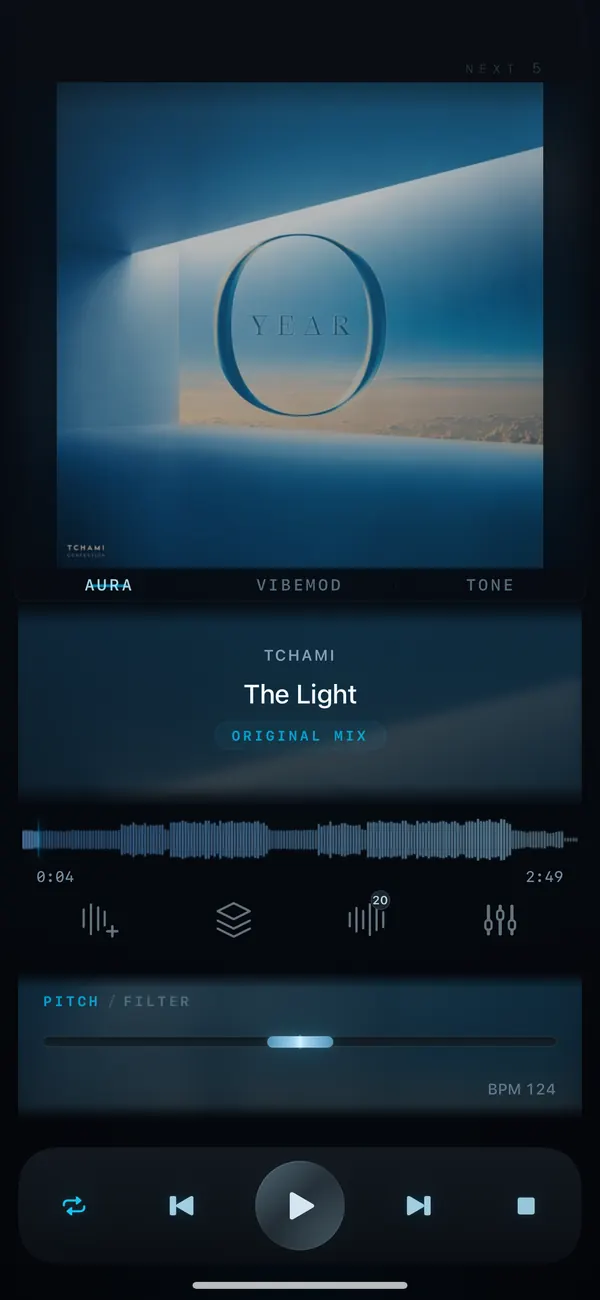
Most music libraries are a mix: FLAC rips, ALAC from an old iTunes library, AIFF and WAV from the studio, MP3 from everywhere else. Built-in players handle some of them and hide the rest. VibeDeck Player opens them all in one library and plays them offline, with the same EQ, pitch and tempo controls for every file.
Features / 03
Why one player for every format
No conversion
Import files as they are. Lossless stays lossless: FLAC, ALAC, AIFF and WAV play from your device exactly as you imported them, with no conversion.
One sound engine
3-band EQ with gain, limiter, pitch up to ±8 semitones and independent tempo work the same on MP3 and on a 24-bit master.
Fully offline
Files live on your phone. No streaming, no account, no ads, no tracking.
Supported audio formats
- FLAC (.flac): hi-res lossless, the standard archive format
- ALAC (.m4a): Apple Lossless from iTunes or Music on Mac
- AIFF / AIF (.aiff, .aif): uncompressed studio masters
- WAV (.wav): uncompressed audio from DAWs and recorders
- MP3 (.mp3): the most common compressed format
- AAC / M4A (.aac, .m4a): compact files from stores and phones
- CAF (.caf): Apple Core Audio files
OGG, WMA and Opus are not supported yet. Convert them to FLAC or AAC before importing.
Lossless vs compressed: what to keep
For your archive keep FLAC or ALAC: they are lossless and about half the size of WAV or AIFF. Use WAV or AIFF for files you still edit. MP3 and AAC are fine for everyday listening when space is tight. VibeDeck Player plays all of them side by side, so you never have to choose one format for the whole library.
Also see: FLAC player for iPhone, offline music player for iPhone, offline music player for Android.
FAQ / 05
Audio formats FAQ
What audio formats does VibeDeck Player support?
VibeDeck Player plays MP3, WAV, FLAC, M4A including Apple Lossless (ALAC), AAC, AIFF/AIF and CAF files stored on your device.
Can I play ALAC (Apple Lossless) files on iPhone?
Yes. VibeDeck Player plays ALAC files in .m4a containers offline on iPhone and iPad, with EQ, pitch and tempo control.
Does VibeDeck Player play AIFF and WAV?
Yes. AIFF, AIF and WAV files play without conversion, including 24-bit studio files.
Does VibeDeck Player support OGG, WMA or Opus?
Not yet. Convert OGG, WMA or Opus files to FLAC or AAC and import them into VibeDeck Player.
Do I need to convert my files before importing?
No. Import FLAC, ALAC, AIFF, WAV, MP3, AAC, M4A and CAF files as they are. Nothing is converted or uploaded.
Download / iOS · Android
Download VibeDeck Player
Play every file you own, offline. No conversion. No ads. No tracking.