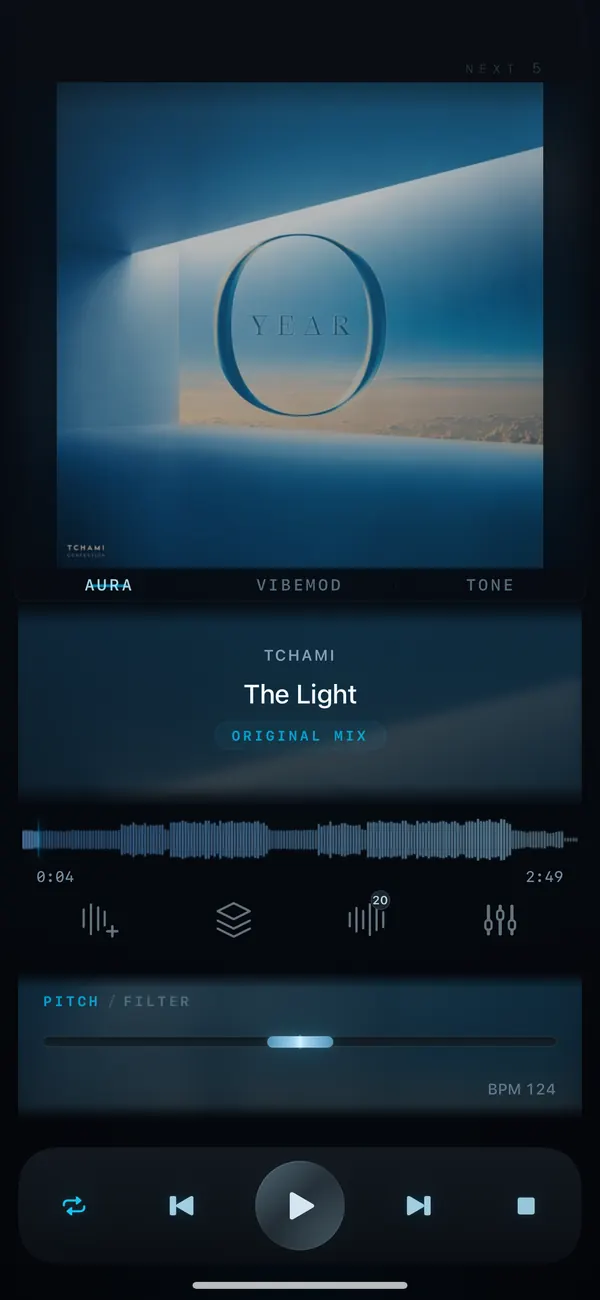
iPhone · iPad · Android / Offline
Same Track. New Feeling. Offline music player for FLAC, ALAC, WAV & MP3
Offline music player for iPhone, iPad and Android that plays MP3, FLAC, ALAC, AIFF, WAV and AAC from your local files, with equalizer, pitch and tempo control. No WiFi needed.
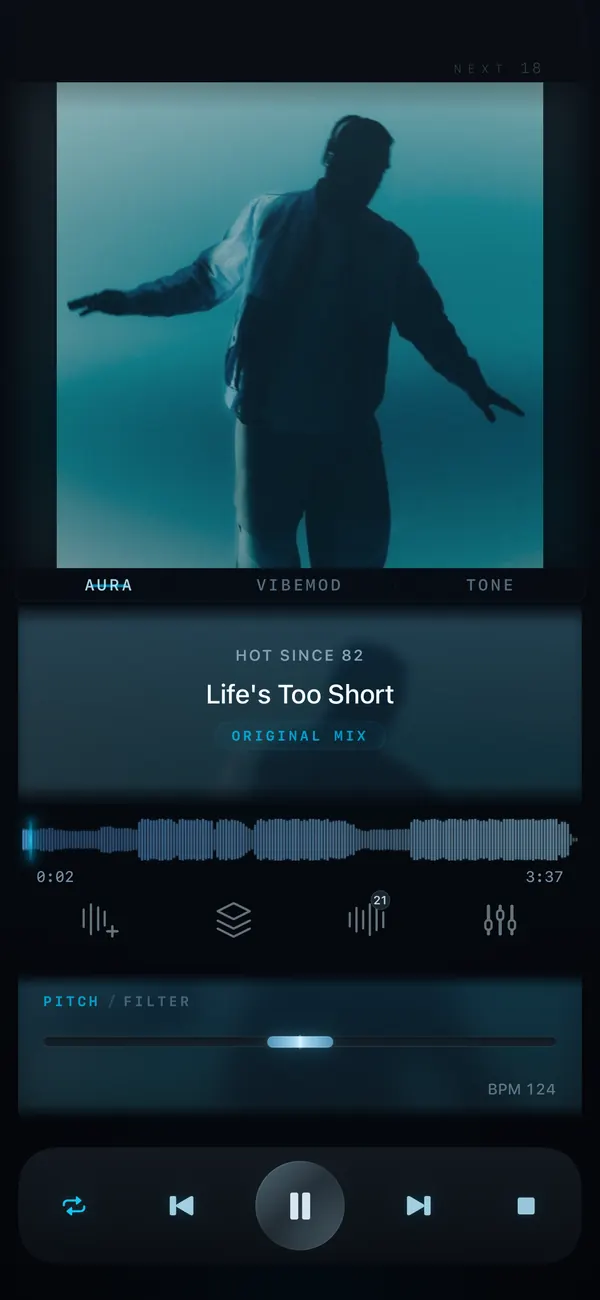
Same track / New feeling
VibeDeck is a premium music player for iOS and Android, for people who own their music and want to feel it again. Import your audio files and shape the sound in real time with a 3-band EQ and gain, bass boost, filter, limiter, pitch, tempo, and DJ tools, all on one dark, distraction-free screen.
Features / 12
Pitch, EQ, AURA, TONE. One dark screen.
Every sound tool lives one move from the track: a music player with pitch and tempo control, a real equalizer for iPhone and Android, and visuals that react to the beat.
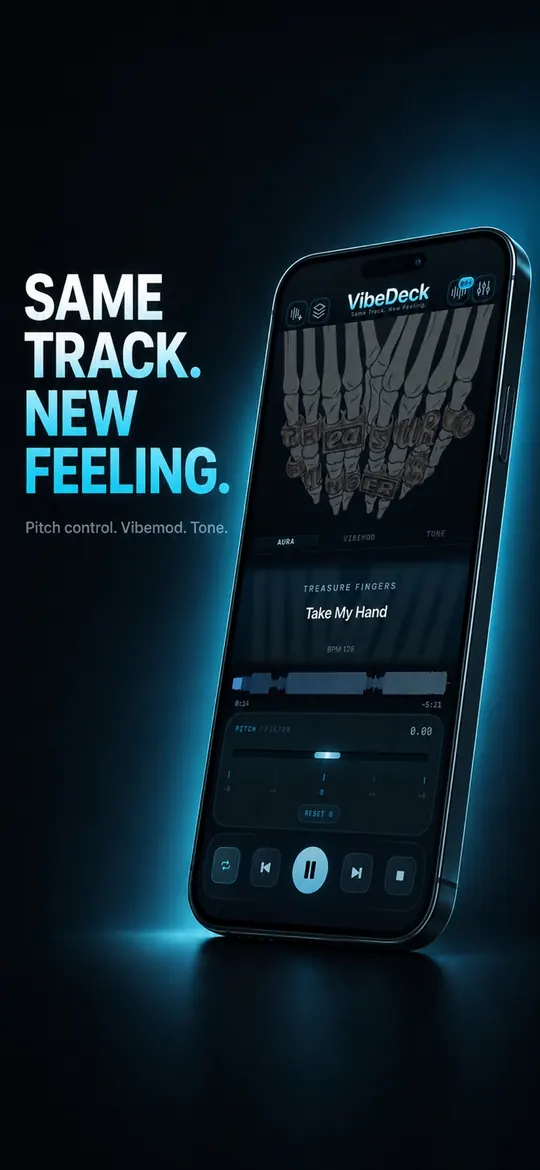
01 / Playback
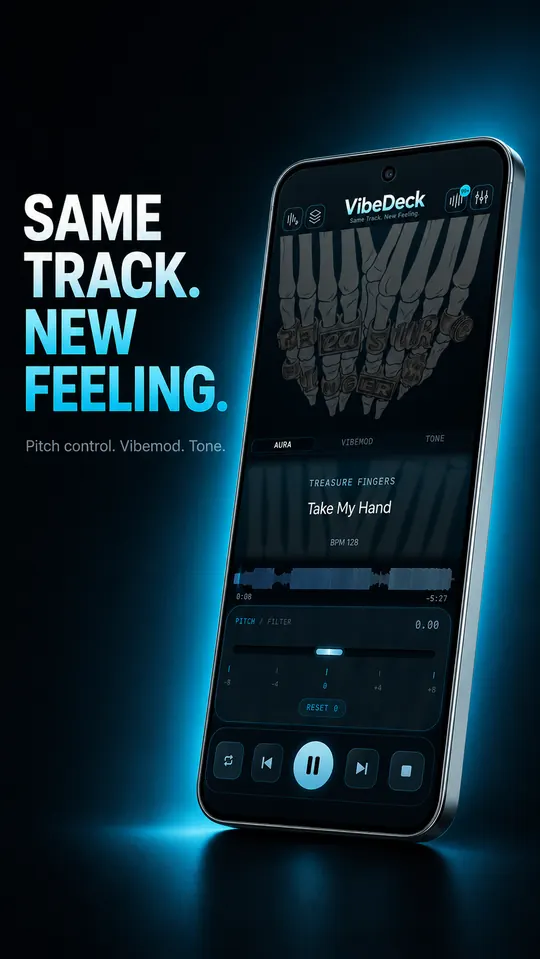
Pitch control on the main screen
Same track, new feeling. Pitch, VibeMod and TONE sit right under the artwork.
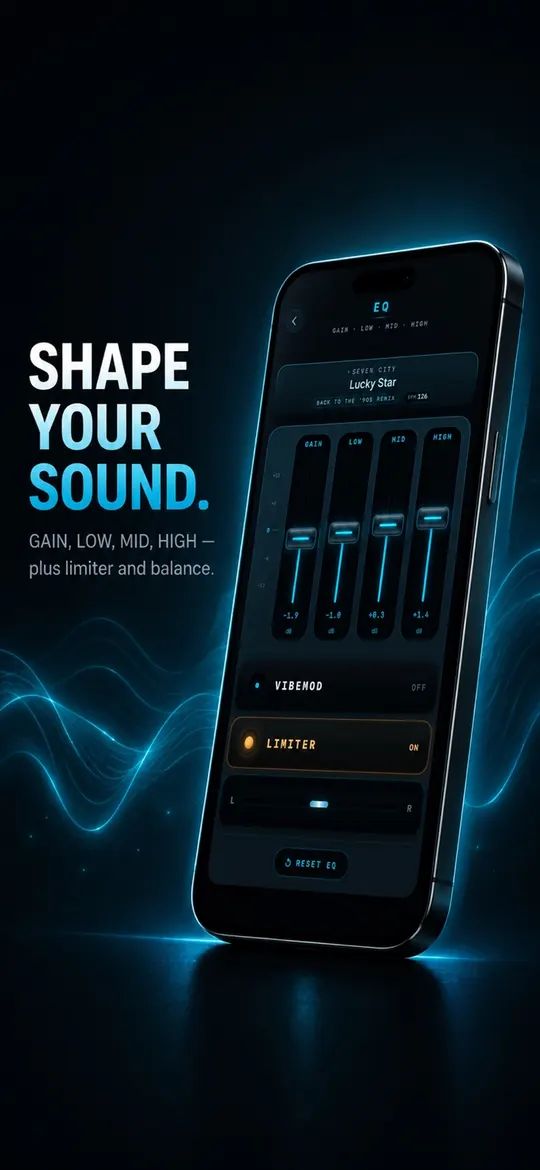
02 / Sound
3-band EQ with gain and limiter
Gain, low, mid, high, plus limiter and stereo balance, applied in real time.
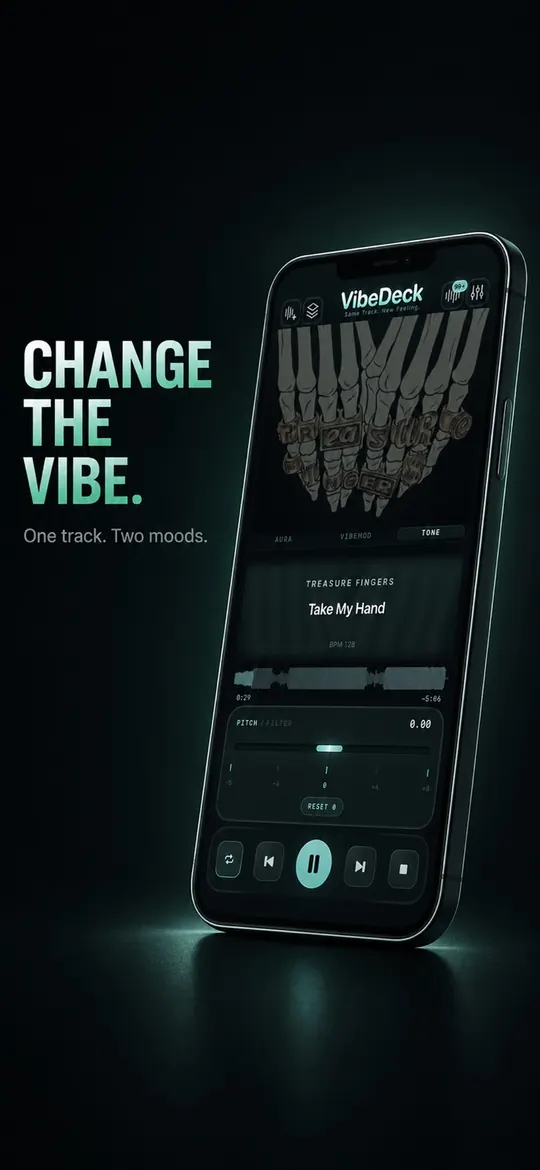
03 / Tone
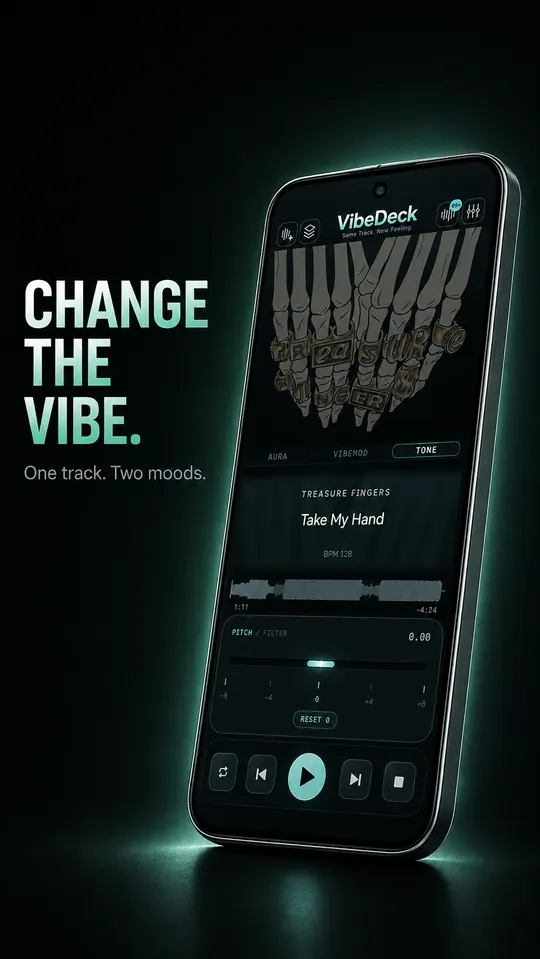
Change the vibe
One track. Two moods. Switch to TONE and hear the same song in a different colour.
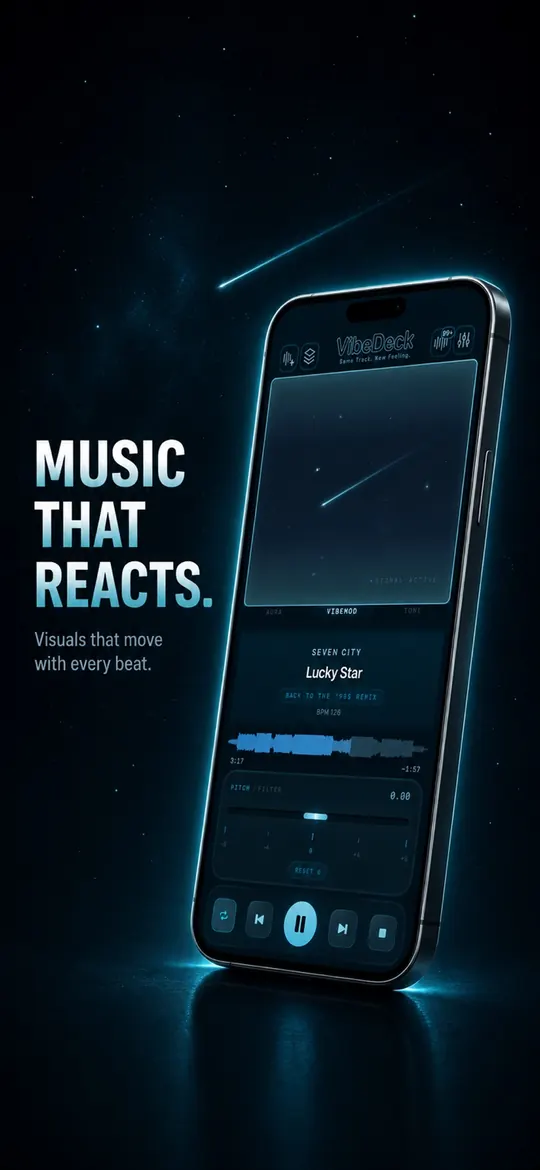
04 / VibeMod
Music that reacts
Visuals that move with every beat, driven by the track that is playing.
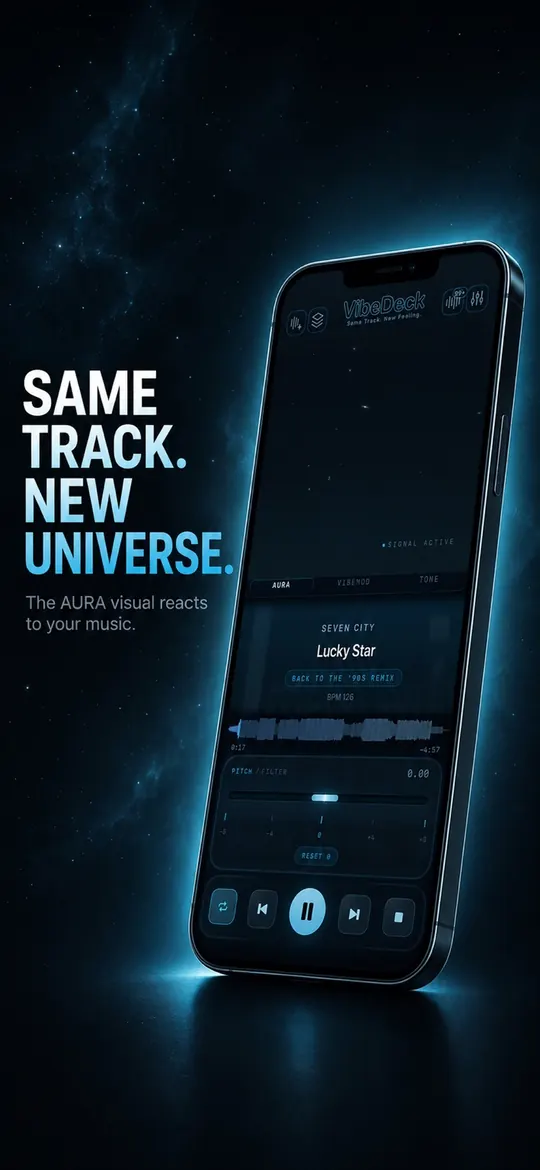
05 / Aura
Same track. New universe.
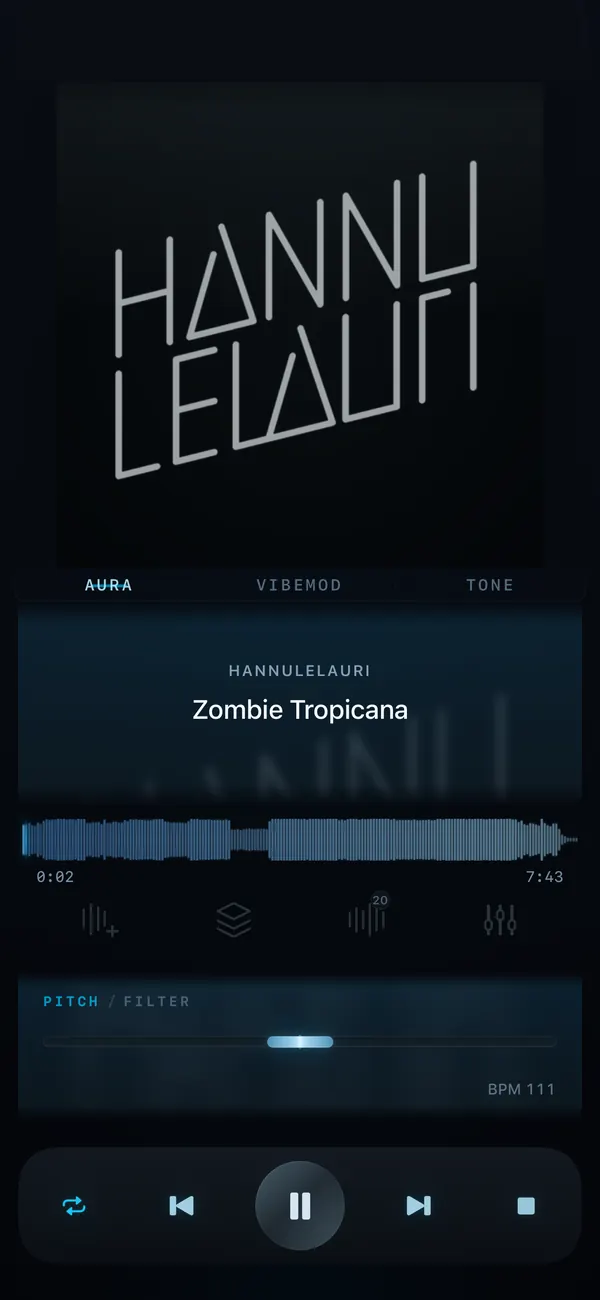
The AURA visual reacts to your music: an ambient world for low-light listening.
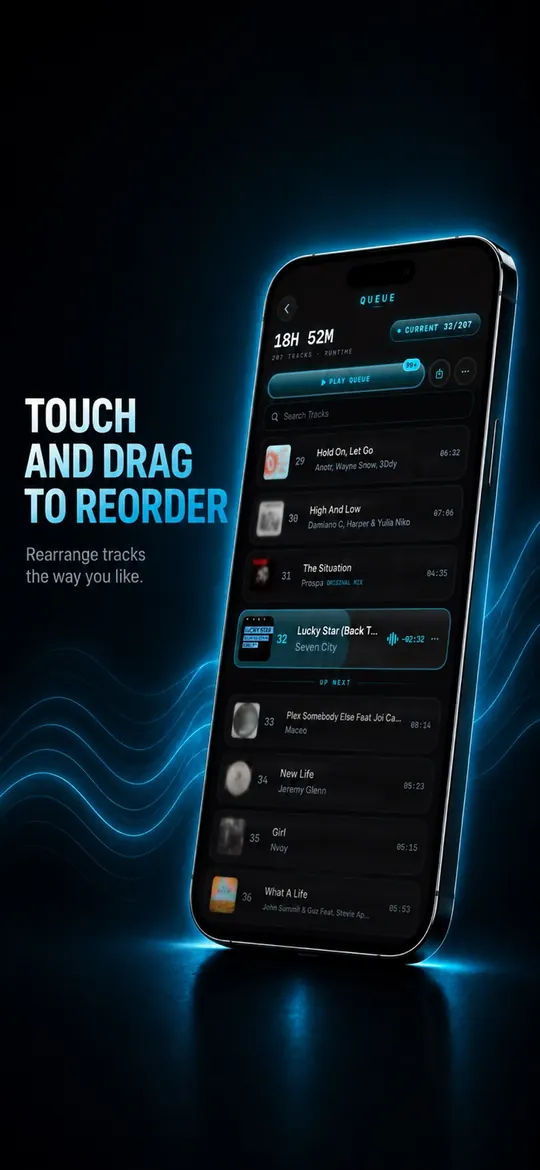
06 / Queue
Touch and drag to reorder
Rearrange tracks the way you like, search the library and see what is up next.
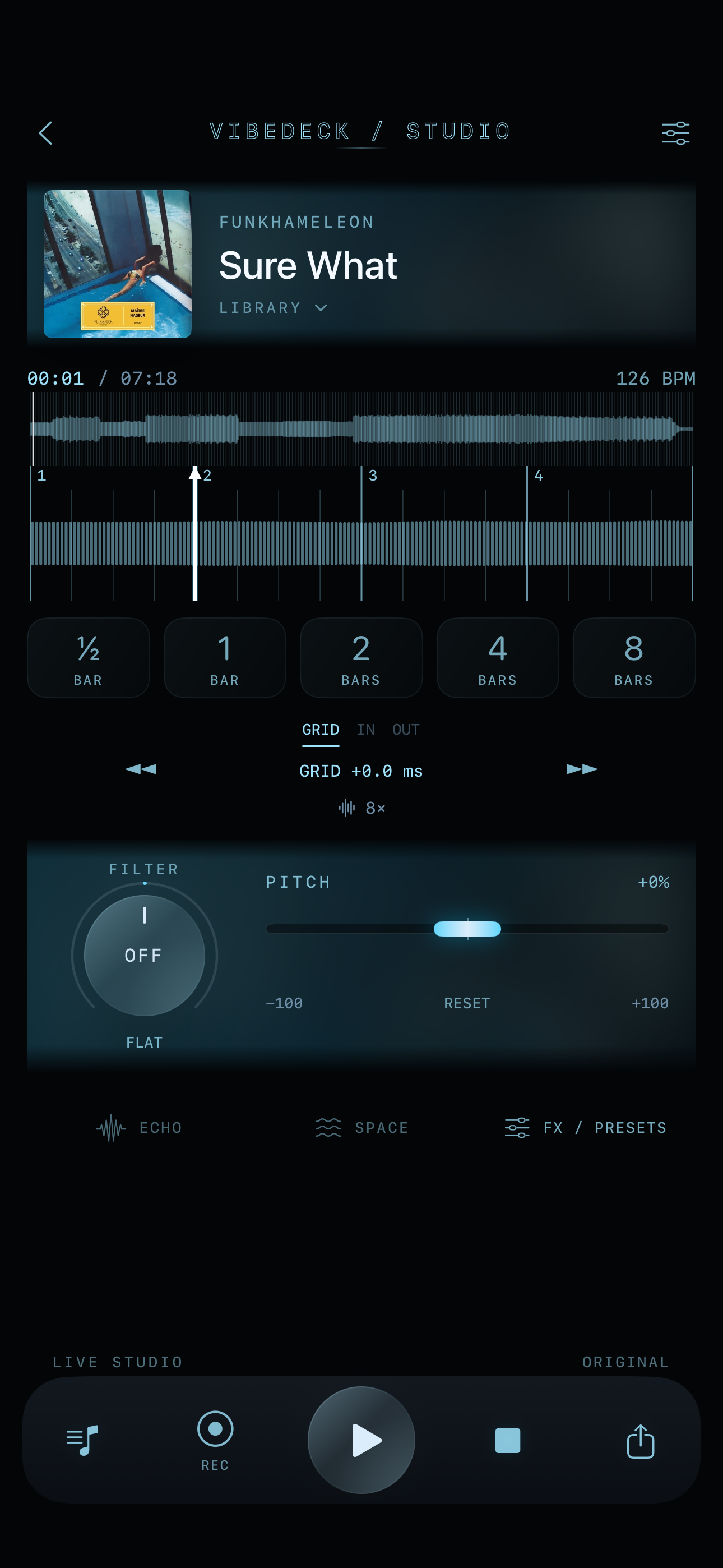
New / VibeDeck Studio
VibeDeck Studio.
Remix & Clips.
Turn a moment in your track into a loop, shape its sound, then record and share the result - all in the same player.
- 01Loop to the beatChoose ½ to 8 bars, snapped to the beat grid.
- 02Fine-tune every cutAdjust the grid and loop start or end.
- 03Shape the soundPitch, filter, saturation, space and sound presets.
- 04Record and shareCapture a live session up to 2 minutes, add fade in/out, and share it as a clip.
- 05Keep it playingStudio plays in the background.
- 06Made smootherFaster track analysis, smoother reverb, refreshed design.
Workflow
Player first. Controls close.
VibeDeck keeps the current track readable while the queue and EQ stay one move away. This offline music player is built for low light, fast scanning, and deliberate sound shaping from your local files.
Playback
Full transport controls, waveform with scrubbing, BPM readout, and pitch/filter on the main screen. Same track. New feeling.
Transport · Waveform · BPMQueue
See what's playing, search your library, and line up what's next without leaving the player. Night Mode strips the artwork for a calmer, distraction-free list.
Search · Up next · Night modeSound
3-band EQ + Gain, bass boost, filter, VibeMod audio-reactive processing, stereo balance, and real-time pitch shifting up to ±8 semitones. Built-in limiter: clean, punchy sound on any headphones.
EQ · Pitch ±8 · Limiter
Android / Google Play
VibeDeck for Android.
An offline music player for your own files, with pitch, waveform, tone and sound controls on one focused screen.
Specs
- All popular formats
- FLAC
- ALAC
- AIFF
- WAV
- MP3
- AAC
- M4A
- CAF
- ±8 semitones
- Tempo
- 3-band EQ
- Limiter
- Offline
- No ads
- No account
- No tracking
Built for / 19
Built for the way you listen.
Guides for every way people use VibeDeck Player.
- FLAC · iPhone
FLAC player for iPhone
Play lossless FLAC offline on iPhone and iPad, with a real EQ, pitch and tempo.
Open guide - Offline · iPhone
Offline music player for iPhone
Your whole library on planes and in dead zones. No WiFi, no streaming subscription.
Open guide - Offline · Android
Offline music player for Android
MP3, FLAC, ALAC, AIFF, WAV and AAC from your phone, with zero mobile data spent on music.
Open guide - MP3 · No ads
MP3 player with no ads
No banners, no video breaks, no account. Press play and hear your MP3s.
Open guide - Pitch · Tempo
Music player with pitch and tempo control
Change the key by ±8 semitones and the speed independently, for practice and DJ prep.
Open guide - Formats · Hi-Res
Music player for all audio formats
FLAC, ALAC, AIFF, WAV, MP3, AAC, M4A and CAF, played offline with no conversion.
Open guide - How-to · Key
Change the key of a song on iPhone
Transpose any track up or down by semitones to fit your voice or instrument.
Open guide - How-to · Tempo
Slow down a song without changing pitch
Learn fast parts, choreography and solos at your own speed, in the same key.
Open guide - FLAC · Android
FLAC player for Android
Lossless FLAC offline on Android, with EQ, pitch and tempo. No ads.
Open guide - Guide · 2026
Best offline music player
What to look for in an offline player in 2026, and how VibeDeck compares.
Open guide - Studio · New
VibeDeck Studio: remix and record clips
Beat-snapped loops, live effects and session recording you can share as a clip.
Open guide - Compare
VibeDeck Player vs VOX
An honest look at the VOX alternative with pitch tools and Android support.
Open guide - DJ · Loop
How to loop part of a song
Beat-snapped loops from half a bar to 8 bars, tuned to the grid. Loop any part of a track and record it.
Open guide - Bass · EQ
Boost bass on iPhone and Android
No separate bass button needed: push the low band of the 3-band EQ and feel the difference.
Open guide - DJ · Filter
DJ filter effect
Sweep from low-pass to high-pass live in VibeDeck Studio, with presets and recording.
Open guide - Studio · FX
Saturation effect
Add warmth and grit to your tracks with the Studio saturation effect.
Open guide - Audio · Limiter
Limiter: prevent clipping
Keep your loudest tracks clean on iPhone and Android with the built-in limiter.
Open guide - Studio · FX
Delay and space effect
Echo and space in VibeDeck Studio: give your loops depth and movement.
Open guide - DJ · App
DJ app for iPhone and Android
Loops, effects and recording in your pocket: mix and remix anywhere with VibeDeck Studio.
Open guide
Why VibeDeck
Why VibeDeck Player?
VibeDeck Player is a premium offline music player for iPhone, iPad and Android, made for people who own their music. It plays the FLAC, ALAC, AIFF, WAV, MP3, AAC and M4A files already on your phone, with no WiFi, no account, no ads and no tracking. Your files stay on your device.
Where most players stop at play and pause, VibeDeck treats every track as material. Shift pitch up to ±8 semitones and change tempo independently to practise, sing in your range or prep a DJ set. Shape the sound with a 3-band equalizer with gain, bass boost, filter, stereo balance and a built-in limiter. Scrub the waveform, read the BPM, and line up what's next in a queue you reorder by touch. AURA adds an ambient visual world that breathes with your music, and TONE and VibeMod give one track a second mood.
Looking for a FLAC player for iPhone, an MP3 player with no ads, or a VOX alternative that also runs on Android? VibeDeck Player covers all three on one dark, distraction-free screen. Same track. New feeling.
VibeDeck Player at a glance
| Platforms | iPhone and iPad (iOS 17+), Android |
|---|---|
| Audio formats | MP3, WAV, FLAC, M4A / ALAC, AAC, AIFF / AIF, CAF |
| Sound | 3-band EQ with gain, bass boost, filter, stereo balance, limiter |
| Pitch and tempo | Pitch up to ±8 semitones, tempo independent from pitch |
| Visuals | AURA waveform, VibeMod and TONE, music-reactive starry sky with comets |
| Internet | Not needed: plays files stored on your device |
| Ads, account, tracking | None |
| Price on App Store | Free; Premium $2.99/month, $19.99/year, $49.99 lifetime |
| Price on Google Play | Free; Premium $1.99/month, $9.99/year, $14.99 lifetime |
Prices may vary by region.
FAQ / 10
Questions, answered.
Is VibeDeck Player free?
The core player is free with no ads. VibeDeck Premium unlocks the full sound engine: pitch and filter, 3-band EQ with gain, limiter, VibeMod, TONE, AURA and Smart Metadata. On the App Store Premium costs $2.99 per month, $19.99 per year or $49.99 for a lifetime license; on Google Play it costs $1.99 per month, $9.99 per year or $14.99 for a lifetime license.
Which audio formats does VibeDeck Player play?
VibeDeck Player plays all popular audio formats stored on your device: MP3, WAV, FLAC (Hi-Res Lossless), M4A including Apple Lossless (ALAC), AAC, AIFF/AIF and CAF. No conversion and no cloud upload needed.
Can iPhone play FLAC files?
Yes. iPhone can play FLAC files, but the built-in options give you no equalizer, no pitch control and no real library for your own files. VibeDeck Player is a dedicated FLAC player for iPhone and iPad that plays your lossless files offline with a 3-band EQ, pitch and tempo control.
Does VibeDeck Player work offline?
Yes. It is a fully offline music player: your files stay on the device and play with no WiFi, no account and no tracking.
Can I use VibeDeck Player offline without an account?
Yes. There is no sign-up, no login and no cloud library. You import your own files once, and playback, EQ, pitch and tempo all run on the device, even in airplane mode.
How do I change the pitch of a song on iPhone?
Open the track in VibeDeck Player and drag the Pitch / Filter slider on the main player screen. Pitch moves in real time up to plus or minus 8 semitones, tempo can be changed independently, and Reset returns the song to its original key. The file itself is never modified. Pitch and filter are part of VibeDeck Premium.
What is the best ad-free offline music player?
It depends on what you need. If you want an offline music player with no ads that also changes pitch and tempo, runs on both iPhone and Android, and offers a one-time lifetime license, VibeDeck Player is built for exactly that. The core player is free with no ads; Premium is optional.
Is VibeDeck Player available for iPhone and Android?
Yes. VibeDeck Player is on the App Store for iPhone and iPad (iOS 17.0 and later) and on Google Play for Android.
Is VibeDeck Player a good alternative to VOX?
If you want real-time pitch and tempo control, Android support, or a one-time lifetime license, yes. VOX remains a strong pick if you live entirely inside the Apple ecosystem and do not need pitch tools.
What makes VibeDeck Player different?
Real-time pitch shifting up to plus or minus 8 semitones, independent tempo control, 3-band EQ with gain, waveform scrubbing with BPM readout, and the audio-reactive AURA visualizer, all offline on your own files.
Download / iOS · Android
Download VibeDeck Player
VibeDeck is now available for iPhone, iPad and Android. Work with local audio files, shape the sound in real time, and keep your music offline. No account. No ads. No tracking.